How to
Welcome to CareFi! How to Get Connected
Getting online with CareFi is fast, secure, and easy! Follow these simple steps to connect to the internet, redeem vouchers, and manage your account.
1. Connect to the Wi-Fi Network
First, you need to link your device to our hotspots.
- Open the Wi-Fi settings on your phone, tablet, or laptop.
- Select the CareFi Wi-Fi network from the list of available networks.
- Once connected, your device should automatically pop up the CareFi Login Page. (If it doesn’t open automatically, open your web browser and go to
logout.netorcarefi.co.za)
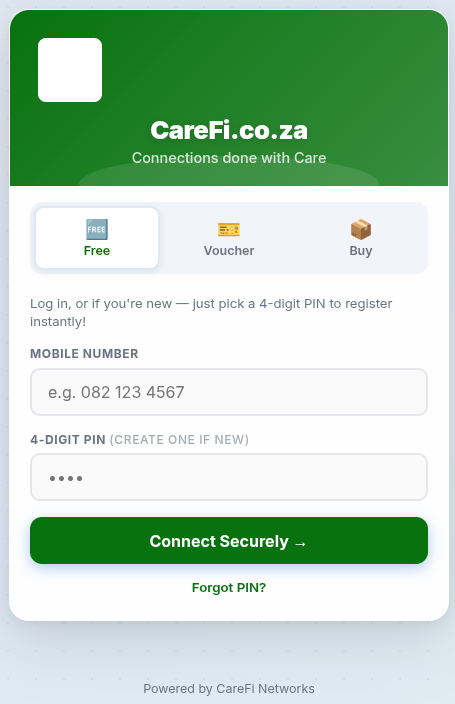
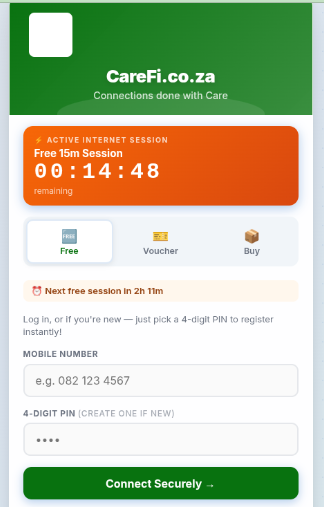
2. Registering / Logging In
Our login page uses your mobile number to keep your credit secure.
First Time Users (Registration)
- Tap on the Free tab (the default view).
- Type in your 10-digit Mobile Number starting with
0(e.g.082 123 4567). Our system will format it automatically to prevent typos! - Pick a 4-digit PIN and type it into the PIN box. This is your new password—remember it!
- Click the big green Connect Securely button. A security popup will appear asking you to confirm your number is exactly correct. Click OK, and you’ll instantly register and get connected!
Returning Users
- If you connect from the same device, you won’t need to do anything—our network remembers you and will automatically log you back in!
3. Redeeming a 1Voucher (Topping Up)
 Running out of data or time? You can top-up your wallet using a standard 1Voucher!
- Buy a 1Voucher from any Flash vendor, PEP, Shoprite, Ackermans, or participating store.
- Open the CareFi login page and tap the 🎫 Voucher tab.
- Type in the 16-digit PIN printed on your 1Voucher slip.
- Enter your registered Mobile Number.
- Click Redeem Voucher. The Rand value of the voucher will immediately be added to your digital CareFi Wallet.
4. Buying Internet Packages
Once you have Rands loaded in your wallet from a 1Voucher, you can buy an internet package!
- Open the CareFi login page and tap the 📦 Buy tab.
- You will see your current Wallet Balance displayed at the top.
- Scroll through the available packages (e.g., 1 Day Uncapped, 7 Days 10Mbps) and find one that fits your budget.
- Click Buy Package. The cost will be deducted from your wallet, and you will instantly be connected to your new high-speed session!
TIP Forgot your PIN? If you are connecting from your personal phone that is already registered, just type your mobile number and pick a Brand New 4-digit PIN. Because we recognize your device, we will securely reset it for you automatically! WARNING Check your typos! Always double-check that you typed your mobile number correctly when registering or redeeming a voucher. If you make a mistake, your wallet and vouchers will be tied to the wrong number.